














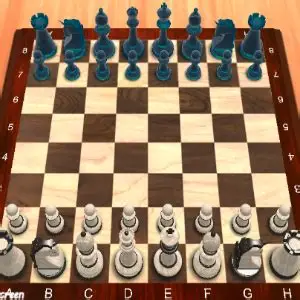




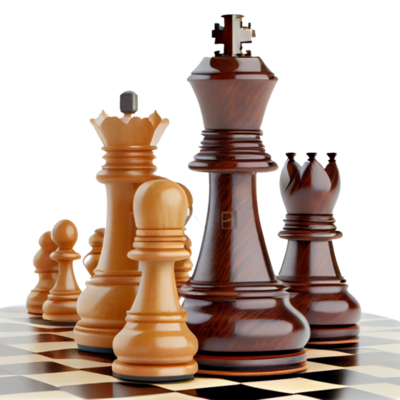


Chess Master 3D translates classic chess into a polished 3D board without changing standard chess rules. The first impression is of clean, polished pieces and smooth animations that make move selection and captures easy to follow. The 3D perspective generally improves spatial clarity—knight and bishop moves and long diagonals are easier to read at a glance—but the default camera angle can sometimes obscure distant squares, so checking the board view before finalizing a move is prudent. Overall the presentation feels faithful to tabletop chess and aims to enhance the visual experience without adding gimmicks.
Gameplay loop
The core loop is straightforward: start a match, develop pieces, contest the center, and aim for checkmate. You can play against adjustable AI levels or use the multiplayer option to face human opponents. Practice features let you rehearse openings, test strategies, and work on endgames such as king-and-pawn and rook endgames. Match length varies from short to medium depending on how quickly pieces are exchanged and positions simplify; sessions can be quick for casual play or longer when players take more time to think.
Desktop controls
Move pieces with the left mouse button: click a piece to select it, then click a highlighted legal square to move. The interface highlights legal moves after selection, which helps prevent illegal inputs and reduces the burden of memorizing move legality while learning. If additional desktop controls appear—camera rotation, zoom, undo, or menu shortcuts—consult the startup control overlay to confirm their mappings.
Mobile and touch controls
On touch devices, interaction is tap-based: tap a piece to select it, then tap the destination square to move. Legal destinations should highlight after selection so you can verify moves visually. The game may offer camera gestures or swipe-based commands on some devices; specific gesture mappings are not provided here, so use the startup control overlay to confirm any touch gestures before relying on them.
Practical tips
- Control the center early. Focus on squares such as E4/E5 and D4/D5 to open lines for bishops and the queen and to gain space for your pieces. The 3D view helps spot spatial relationships, but check the camera if long diagonals look unclear.
- Prioritize development over immediate captures. Early material grabs can look attractive in a polished presentation, but rapid captures that leave you behind in development often lead to long-term disadvantages. Bring knights and bishops into play before overextending pawns.
- Use the adjustable AI and practice modes. Start at a lower AI level if you’re new and raise difficulty incrementally. Practice drills for openings and endgames let you work on specific patterns without the pressure of a full match.
- Check the camera angle before moving. The default perspective can hide distant squares. Rotate or reposition the board as needed to avoid misclicks and missed tactics, and confirm any control gestures via the startup control overlay.
Difficulty and experience assessment
Learning curve
Low to moderate. The game follows standard chess rules and highlights legal moves, which reduces the initial hurdle for beginners. Still, improving beyond mid-level play requires study of tactics and openings outside the app.
Pace
Variable. No universal timer is specified here, so the pace depends on how quickly players move. Casual sessions can be rapid; more thoughtful competitive play will take longer.
Frustration
Manageable. Adjustable AI helps limit mismatches, and move highlighting reduces accidental illegal moves. Occasional frustration can stem from camera angles that hide important squares or from accidental taps or clicks, but the interface aims to minimize those issues.
Replay value
High for chess fans. Adjustable opponents, dedicated practice modes for openings and endgames, and a multiplayer option provide ongoing variety and reason to return as you refine skills and test new ideas.
Suitable player type
Well suited to casual players who appreciate visual polish, learners who want an approachable digital board, and mid-level players seeking steady practice. If you need specialized tournament features or specific time controls, check the in-game menus for those details before committing to competitive play.
Related games worth trying
These selections share a genre, control style, or play rhythm with this game.